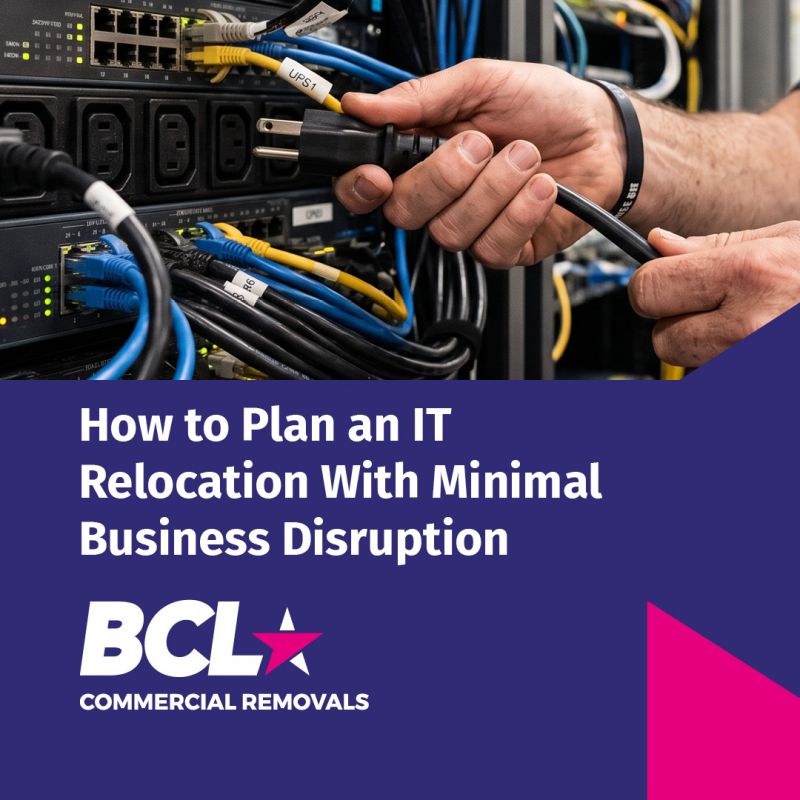
How to Plan an IT Relocation With Minimal Business Disruption
Tue 8th September 2026For most modern businesses, relocating an office involves much more than moving desks, chairs and filing cabinets. IT equipment is central to day-to-day operations, and even a relatively straightforward office move can involve computers, servers, network equipment, peripherals and complex cabling. An IT relocation therefore needs to be carefully planned to minimise downtime and ensure employees can get back to work as quickly as possible.
A successful IT relocation is about more than transporting equipment safely between two buildings. It requires coordination between the business, its IT team and the commercial removals company responsible for the physical move. With the right preparation, businesses can relocate their IT infrastructure efficiently while reducing the risk of damage, lost equipment and unnecessary disruption.
We asked our commercial removals team in Leicester and East Midlands what businesses should consider when planning an IT relocation. While every move is different, the same principles apply whether you are relocating an office, warehouse, healthcare setting or other commercial premises.
Start planning your IT relocation early
IT should be considered at the beginning of a business relocation project rather than treated as something to deal with on moving day.
Before equipment is moved, businesses should establish exactly what needs to be relocated, what will be replaced or upgraded and what needs to remain in place. This provides a clear picture of the scale of the IT relocation and allows the various teams involved to plan their responsibilities.
An audit of IT equipment can be particularly useful. This may include desktop computers, monitors, printers, servers, network equipment and other peripherals. Recording equipment and its destination can also help businesses keep track of assets throughout the move.
The physical characteristics of the new premises should also be considered. The location of network points, desks, server rooms and other equipment can affect how the IT relocation is planned.
Coordinate your IT team and removal company
One of the most important aspects of an IT relocation is communication between the company's own IT personnel and the commercial removals team.
Your IT team will understand the technical requirements of the move, including network configuration, software, servers and connectivity. A specialist removals company can take responsibility for the physical logistics involved in moving the equipment.
Working together means each team can concentrate on its area of expertise.
For example, the IT team may be responsible for shutting down systems and dealing with configuration and connectivity, while the removal team handles the careful packing, transportation and physical positioning of equipment at the new premises.
A commercial removals company experienced in IT relocation can work alongside external IT teams, helping to ensure that the physical move fits into the wider technical plan.
Plan the disconnection and reconnection process
Disconnecting computers and other IT equipment is not simply a case of unplugging everything and putting it into a box.
Equipment needs to be identified, handled carefully and prepared for transportation. Cables and connections should be organised so that equipment can be re-established efficiently at the new premises.
For larger relocations, a detailed schedule can help determine when individual systems should be disconnected, transported and reconnected.
The timing is particularly important for businesses that cannot afford a prolonged period without access to their systems. A phased relocation may be appropriate in some circumstances, allowing different departments or areas of the business to move at different times.
A professional IT relocation service can provide the practical support needed to manage this process, including the disconnection and reconnection of equipment.
Protect IT equipment during transportation
Computers, servers and network equipment require appropriate protection during a commercial move.
IT equipment can be particularly vulnerable to damage if it is not packed and transported correctly. Specialist packing materials and containers can help protect equipment from knocks, movement and other potential risks during transit.
Anti-static protection is also important when handling sensitive electronic equipment. BCL's IT relocation service uses anti-static bubble wrap bags and specialist containers to help protect equipment during transportation.
The objective is not simply to get everything from one building to another. Equipment needs to arrive in a condition that allows it to be installed and put back into operation as efficiently as possible.
Consider server relocation separately
Servers and other critical network infrastructure deserve particular attention during an IT relocation.
Businesses should establish in advance which systems need to be moved, how long they can be offline and what sequence should be followed when equipment is shut down and brought back online.
The physical location of server and computer rooms at the new premises also needs to be considered as part of the wider relocation plan.
Server relocation can be particularly sensitive because problems during transportation or reconnection can have consequences for the wider business. Careful scheduling and close coordination between the removal company and IT specialists can help reduce these risks.
For businesses with significant IT infrastructure, a documented relocation plan can also provide greater visibility throughout the project.
Keep track of equipment throughout the move
When a business is moving a large quantity of IT equipment, knowing what has been disconnected, packed, transported and reconnected can make a significant difference.
An IT relocation can include dozens or even hundreds of individual items, so an organised tracking system helps reduce the possibility of equipment being misplaced or installed in the wrong location.
BCL can provide documented IT moves using IT move sheets, summary audit sheets and audit spreadsheets. These can be tailored to the requirements of the business and provide IT managers with a record of progress throughout the relocation.
This level of documentation can be particularly valuable for larger or phased moves where equipment is being relocated over several days or weekends.
Schedule testing before employees return
Getting IT equipment into the new premises is only part of the job. Businesses also need to make sure their systems are ready for employees to use.
Where appropriate, time should be allowed for equipment to be reconnected, tested and checked before staff return to work.
This is another reason why close cooperation between the removal company and the business's IT team is important. The removal team can concentrate on the physical relocation, while the IT specialists deal with technical configuration, connectivity and system testing.
Planning this stage properly can help avoid the frustrating situation where employees arrive at their new workplace only to find that computers, phones or network connections are not ready.
Use specialist support to reduce disruption
An IT relocation can be one of the most complicated parts of a commercial move, particularly when a business relies heavily on its technology to operate.
Using a commercial removals company with experience in IT relocation allows businesses to delegate the physical logistics involved in moving their technology. This can include packing and relocating computers and peripherals, moving servers and network equipment, and disconnecting and reconnecting equipment.
It can also allow the company's own IT personnel to concentrate on the technical aspects of the relocation rather than spending their time organising the physical movement of equipment.
BCL Commercial Removals provides IT relocation and server relocation services for businesses across the UK. Its teams can work alongside a company's existing IT personnel or external IT providers, supporting the physical relocation of IT equipment as part of a wider commercial move.
BCL Commercial Removals is also a member of the British Association of Removers (BAR), demonstrating its commitment to professional standards within the removals industry.
Plan your IT relocation as part of the wider move
The best IT relocations are rarely treated as a standalone task that happens after everything else has been organised. IT needs to form part of the overall commercial relocation plan from the outset.
By auditing equipment, coordinating the IT and removals teams, planning disconnection and reconnection, protecting equipment during transportation and allowing sufficient time for testing, businesses can significantly reduce the risks associated with relocating their IT infrastructure.
Whether you are moving a small office or relocating a larger operation with servers and extensive network equipment, professional IT relocation support can make the physical side of the move much more manageable.
With careful planning and the right specialist support, businesses can move their IT infrastructure safely and efficiently while keeping disruption to their operations to a minimum.